ENTERPRISE DLP FOR AI
Self-hosted enterprise DLP for AI workflows
Find sensitive data across laptops, file shares, Microsoft 365 and databases, prepare redacted text before it goes into AI, and manage what you find, all from a server your organisation installs and runs. None of your content ever reaches us.
What is enterprise DLP for AI?
Enterprise data loss prevention (DLP) for AI applies discovery, policies and controls to what goes into AI tools, what connected assistants can retrieve and where their answers go. OWASP lists sensitive information disclosure among the top risks for LLM applications, and it reaches AI by three paths. [1]
- What people paste and upload. A support conversation, a spreadsheet or a production log pasted into ChatGPT, Copilot or another assistant. Reading a source and sending all of it to an AI tool are different permissions.
- What assistants retrieve. Microsoft 365 Copilot surfaces organisational data the user already has permission to view, so an overly broad permission becomes easier to exploit. [2]
- Where the answer goes next. A generated answer can repeat sensitive details or be forwarded to a wider audience than the prompt was.

What self-hosted DLP for AI covers
- Discovery across endpoints and services. Endpoint agents scan configured storage locations. Agentless connectors cover SharePoint, OneDrive, Exchange and Teams, plus PostgreSQL, SQL Server, MySQL and other supported databases.
- Prompt preparation. The desktop app replaces names, emails and other identifiers with placeholders before text goes to an approved AI tool, and restores them in the answer.
- Warnings in the browser. The extension warns when personal data is typed into supported sites such as ChatGPT, Claude and Gemini and, where it can identify the send button, disables it while the warning is active.
- Policies and actions. Alert, review or quarantine by sensitive category, device group and severity.
- Findings management. Triage, incident ownership, due dates, escalation and an audit trail, with security-event forwarding to your monitoring.
- Findings still deserve access control. File paths and source labels carry context, and Microsoft 365 mailbox findings include message subjects. Cover the console's records and backups in your retention policy.
- Licensing stays content-free. The vendor-operated licensing service never receives content. Enterprise mode is switched on only by explicit administrator configuration; without it, the app behaves like the device-only Individual edition.
Who it's for
Security and IT
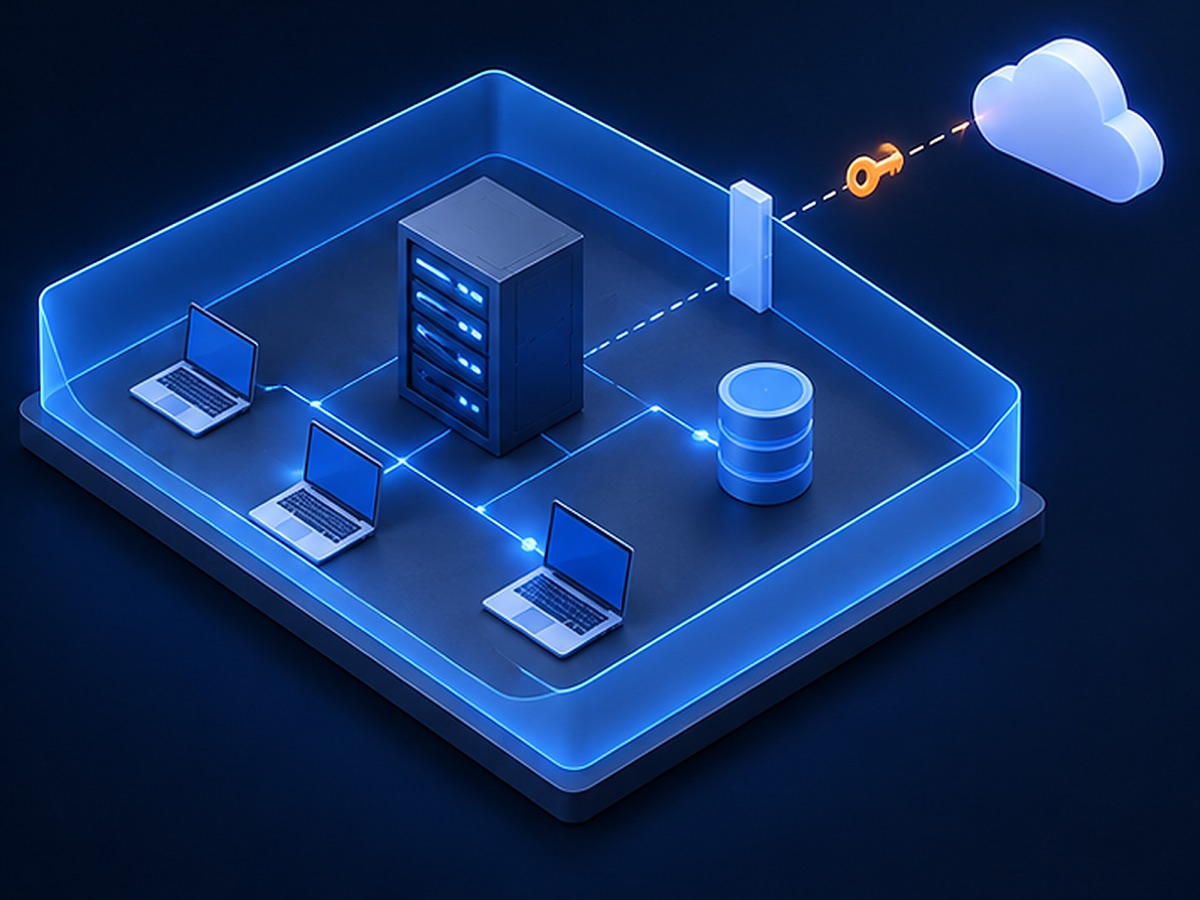
One server and findings database on your infrastructure, reached by agents and configured desktop clients over mutually authenticated TLS. Content is processed in memory and discarded.
Data and process owners
Findings show which documents and sources hold sensitive data, so you can restrict, move or exclude them before an assistant such as Copilot can retrieve them.
Employees using AI
Redact a ticket, contract or log before asking an approved AI tool, then put the real names back in its answer.
See it on your own sources
Bring a source list and a few fictional documents. We'll follow a finding from discovery to resolution, and a prompt from redaction to restored answer.
Where it fits alongside endpoint and network DLP
- No inline proxy required. Prepared text can be pasted into any approved tool without routing it through a proxy. Where uploads must be blocked outright, use a control that enforces it on your devices, such as endpoint DLP. [3]
- Quarantine moves, it doesn't rewrite. For supported files on enrolled agents, quarantine moves the file into a quarantine directory within the scan scope. It does not anonymise the file or remove copies elsewhere.
- Database discovery samples. Schema inspection and bounded value sampling flag columns worth attention; they are not a row-by-row inspection.
- Measure coverage, not alert volume. Track devices reporting, scan age, inaccessible sources and time to ownership. A quiet dashboard can hide a scan that never ran. Agree in advance which gaps must close before the next team or source joins; NIST's AI Risk Management Framework is a useful structure for that decision. [4]
Frequently asked
Questions about this workflow.
What is the difference between enterprise DLP and AI DLP?
Enterprise DLP covers sensitive-data discovery, policies and controls across an organisation. AI DLP focuses those practices on AI inputs, connected sources and outputs, alongside your existing access, endpoint and network controls.
Does DataAnonymiser Enterprise send content to the vendor?
No. Inspection runs on a server your organisation installs and operates, and configured agents, connectors and desktop clients send content only there. The vendor-operated licensing service never receives document content.
Does the enterprise console block every AI prompt?
No. The console manages discovered data, policies and follow-up actions. The desktop app prepares text for review, and the browser extension warns on supported sites and can disable their send button. For mandatory upload blocking, pair it with an enforcing control.
Can it help prepare data sources for Microsoft 365 Copilot?
Yes. Discovery flags sensitive content in configured Microsoft 365 sources, so data owners can review permissions and the assistant's retrieval scope before rollout. A scan does not change permissions by itself.
Does the findings database contain sensitive information?
Raw matched values are not stored, but paths, source labels and Microsoft 365 mailbox subjects can reveal context. Apply access, retention and backup controls to the console's records.
Related
Where else this comes up.
GDPR ANONYMIZATION
GDPR anonymization software for sensitive document workflows
Evaluate document redaction for GDPR data minimisation, with local or customer-hosted processing and human review before sharing.
LOGS AND CODE
Debug with AI without pasting production data
Remove customer data, internal hostnames and identifiers from logs and source files before AI debugging.
DATA LOSS PREVENTION SCAN
Find personal data across a whole folder
Check PDFs, Word files, spreadsheets and emails for personal data on your own machine, with a per-file, per-category report.
COMPARE
How this compares to the alternatives
Cloud redaction APIs, browser-only extensions and self-hosted libraries — what each one trades away.
DataAnonymiser provides detection, redaction and review controls. Coverage depends on configuration and supported workflows; no tool guarantees complete detection or prevention of every disclosure.