PDF REDACTION
Redact a PDF on your own computer, for free
Open a PDF in the DataAnonymiser desktop app and save it with the personal data cut out of the pages, not just covered up. The layout, fonts and page breaks stay, and each value becomes a black box with a label such as [email_1]. The file never leaves your computer.
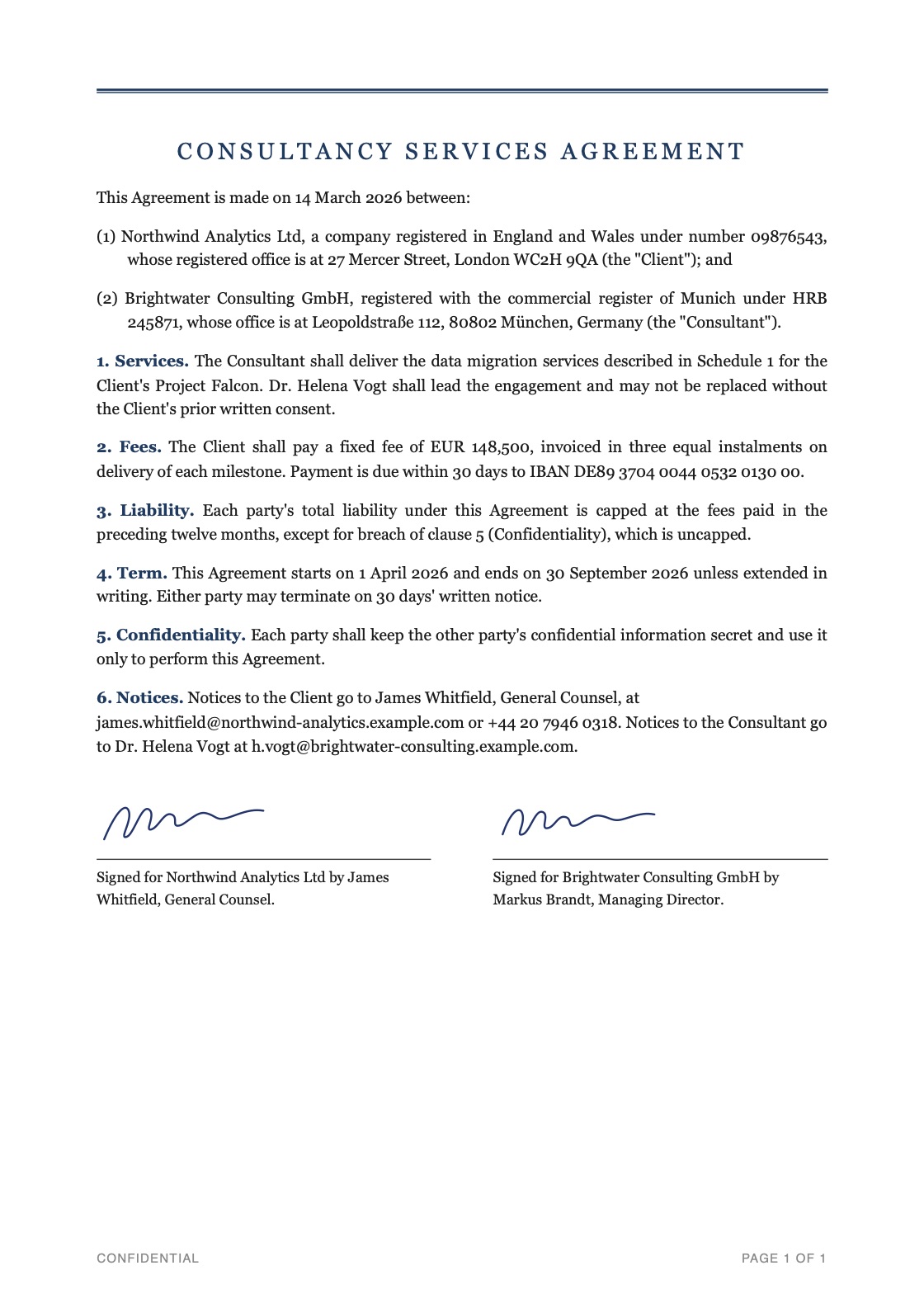
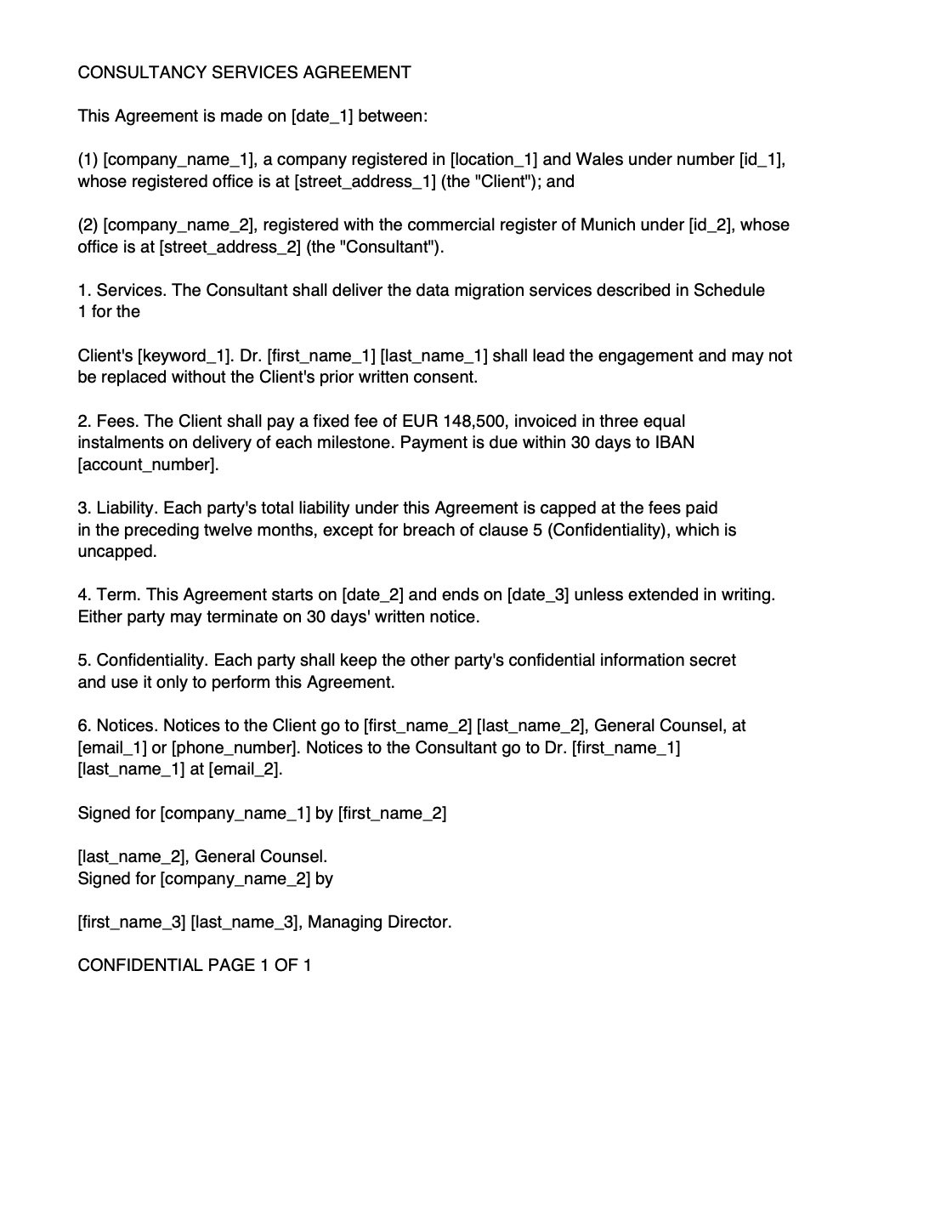
What happens to the PDF
The app reads the text of every page, finds the personal data on your device and writes a new copy of the file. Your original stays as it is.
- Removed, not covered. Each value is cut out of the page itself, so it cannot be selected, copied or searched under the box.
- A labelled box in its place. The box shows a placeholder such as [phone_1], and the same value gets the same label everywhere in the document, so a reader can still follow who is who.
- The layout stays. The rest of the line closes up around the box. Tables, borders, columns and page breaks stay where they were.
- Signatures and stamps greyed out. Images, and shapes drawn from curves such as signatures, stamps and logos, become grey boxes. Lines, borders and shading stay.
- Hidden extras left behind. Metadata, form fields, bookmarks, attachments and any text the app could not read are not carried over. Comments are anonymised along with the page text.
- Checked before it is saved. The app reads the result back before saving it. If a page cannot be redacted in place and checked, for example a scanned page or an encrypted file, you get a new text-only PDF with the same page breaks instead.
Free, and what the paid plans add
Free plan
Emails, phone numbers, IBANs, card numbers and ID numbers are found and redacted automatically, on one computer, at no cost.
Individual and Team
An AI model on your computer recognises more than 50 kinds of personal data in context, from names and addresses to health details and job titles. You can also redact any passage you select and add your own terms.
Either way
The PDF is read, redacted and saved on your computer. It is not sent to DataAnonymiser or to anyone else.
Redact your first PDF
Create a free account, install the desktop app for Windows, macOS or Linux, and open a PDF.
Why redact offline
Many free PDF redaction tools work by uploading your file to a website. The contract, medical letter or HR file you wanted to protect then sits on someone else's server, if only for a while. DataAnonymiser does the whole job on your own computer and, once activated, works without an internet connection.
- Your file stays put. Opening, redacting and saving all happen locally. There is no upload step and no copy on a server.
- Placeholders you can reverse. Because each box carries a label, you can give the redacted PDF to an AI tool and put the real details back into its answer during the same session.
- More than PDFs. The same app handles Word files, spreadsheets, plain text and pasted text.
Before you share the redacted file
- Read it through. Automatic detection can miss a value, and the details around it, such as a job title or a rare event, can still point to a person.
- Scanned PDFs. A scanned page is an image with no text to cut out, so it is not redacted in place. Check that output with extra care.
- Formal disclosure. For court filings, subject access requests or other regulated disclosures, follow the redaction process that applies to you.
Frequently asked
Questions about this workflow.
Is PDF redaction really free?
Yes. With a free account, the desktop app finds emails, phone numbers, IBANs, card numbers and ID numbers in a PDF and saves it with those values cut out and boxed. The paid plans add an AI model on your computer that recognises more than 50 kinds of personal data in context, from names and addresses to health details and job titles, plus redacting text you select and your own custom terms.
Do I have to upload my PDF?
No. The app runs on your computer and the PDF never leaves it. DataAnonymiser's servers handle your account and licence only, never your documents.
Can the redacted text be recovered?
The values are removed from the page, not hidden behind a shape, and the app reads the saved file back to check they are gone. Metadata, attachments and hidden text are not copied either. Read the result before you share it all the same.
Does it work on scanned PDFs?
It works best on PDFs with selectable text, such as those exported from Word or a browser. A scanned page has no text to cut out, so the app writes a new text-only PDF for it instead of keeping the original page.
Why does each box show a label like [email_1]?
So the redacted document still makes sense. A reader, or an AI tool, can tell that two boxes are the same person or that two numbers are different, and during the same session the app can put the real values back into a reply.
Related
Where else this comes up.
LEGAL DOCUMENTS AND CLIENT CONFIDENTIALITY
Anonymize legal documents locally before AI review
Prepare contracts and client correspondence with local redaction software, consistent placeholders and session-based restoration after approved AI review.
LOCAL PII REDACTION
Local PII redaction tool: detect and remove PII on your device
On-device PII detection and removal for text and documents, offline with zero data egress.
COMPARE
How this compares to the alternatives
Cloud redaction APIs, browser-only extensions and self-hosted libraries — what each one trades away.
DataAnonymiser finds and removes personal data from PDFs on your device. No tool finds every identifier; review the redacted file before sharing it, and follow the rules that apply to court filings and other formal disclosures.